Facebook checks
- Privacy Policy https://www.homagames.com/privacy
- App set up on Facebook Check our guide on how to set up app on Facebook here.You can see how to find your Facebook credentials in our article here. Once you have your FB credentials, come back to Homa Lab and add them to your submission.
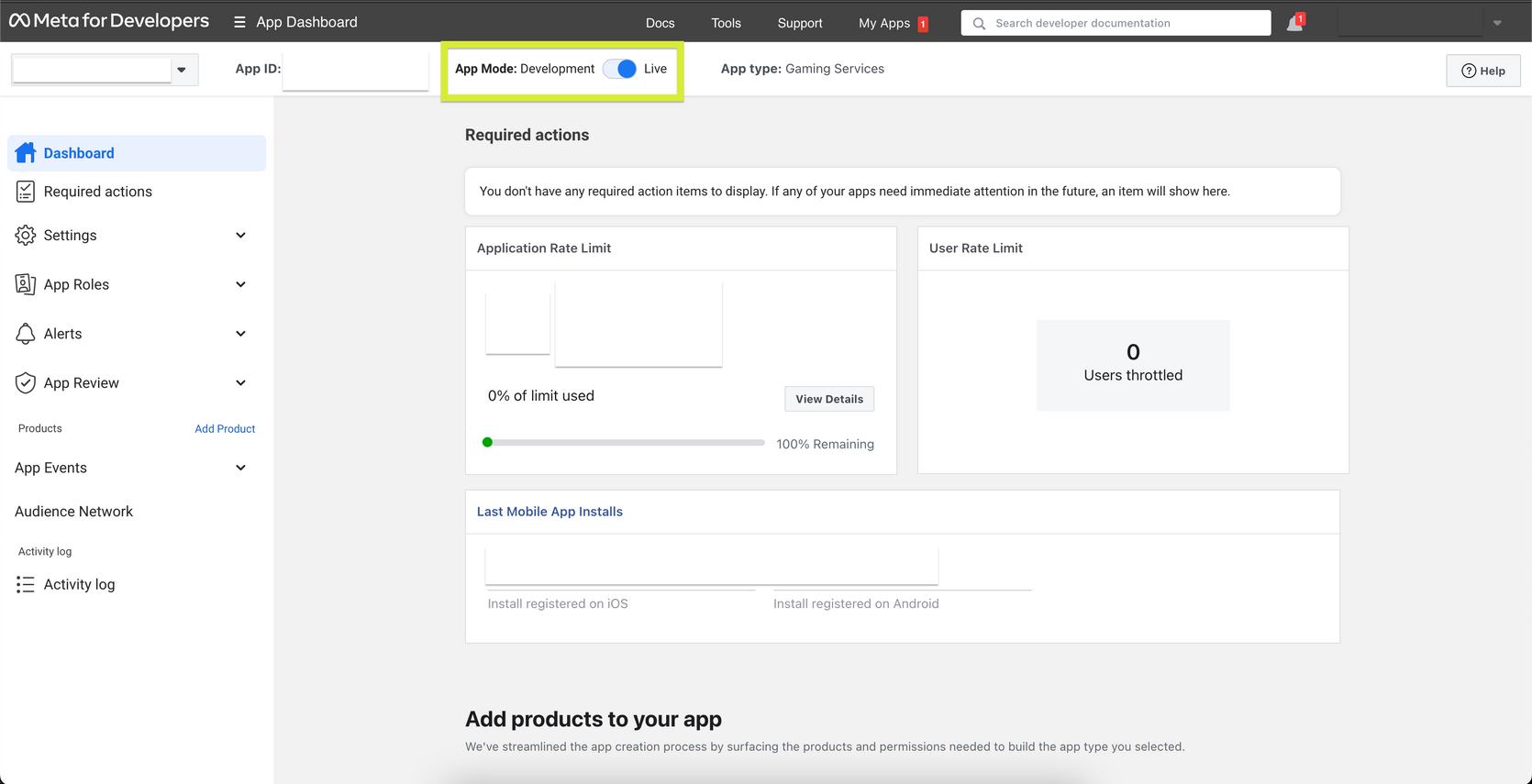
- App live on Facebook Toggle on the App Mode to set it live.
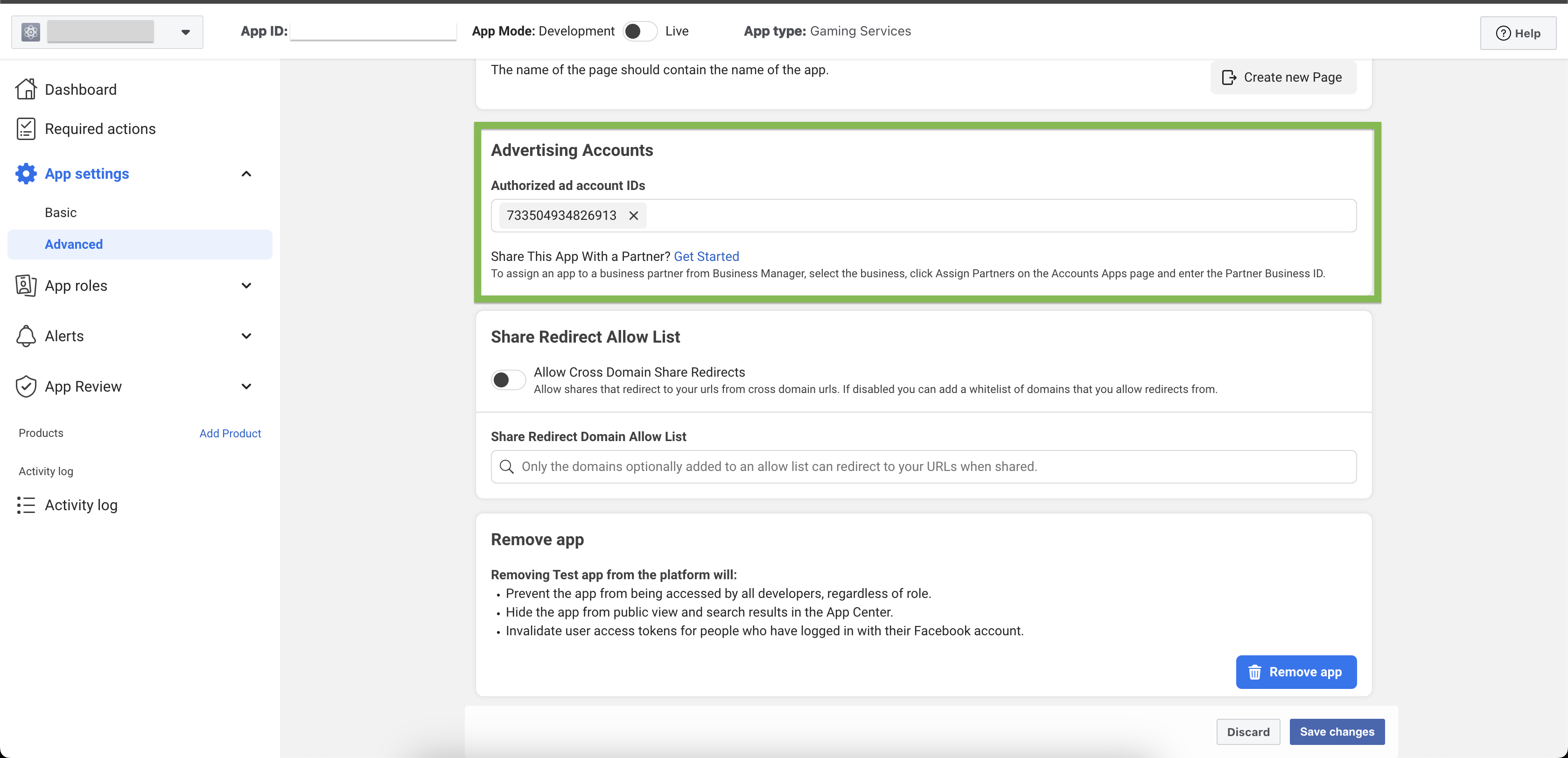
- Ad account ID added In the build checks, copy the ad account ID that you see in the App & OS setup, and paste it into "Advertising Accounts" field in your Facebook app. You can find Advertising Accounts field in your Facebook application under:Settings > Advanced > Scroll down until you see Advertising Accounts
Android checks
- Bundle ID
It’s the developer that defines the bundle name when they submit their application to Play Store. This can also be found in the URL of the application’s Play Store page.
- App live in Google Play Store - France and US See how to submit your build to Google Play Store here. Make sure your app is live in the French and US Google Play Stores.
- Android platform added to Facebook setup
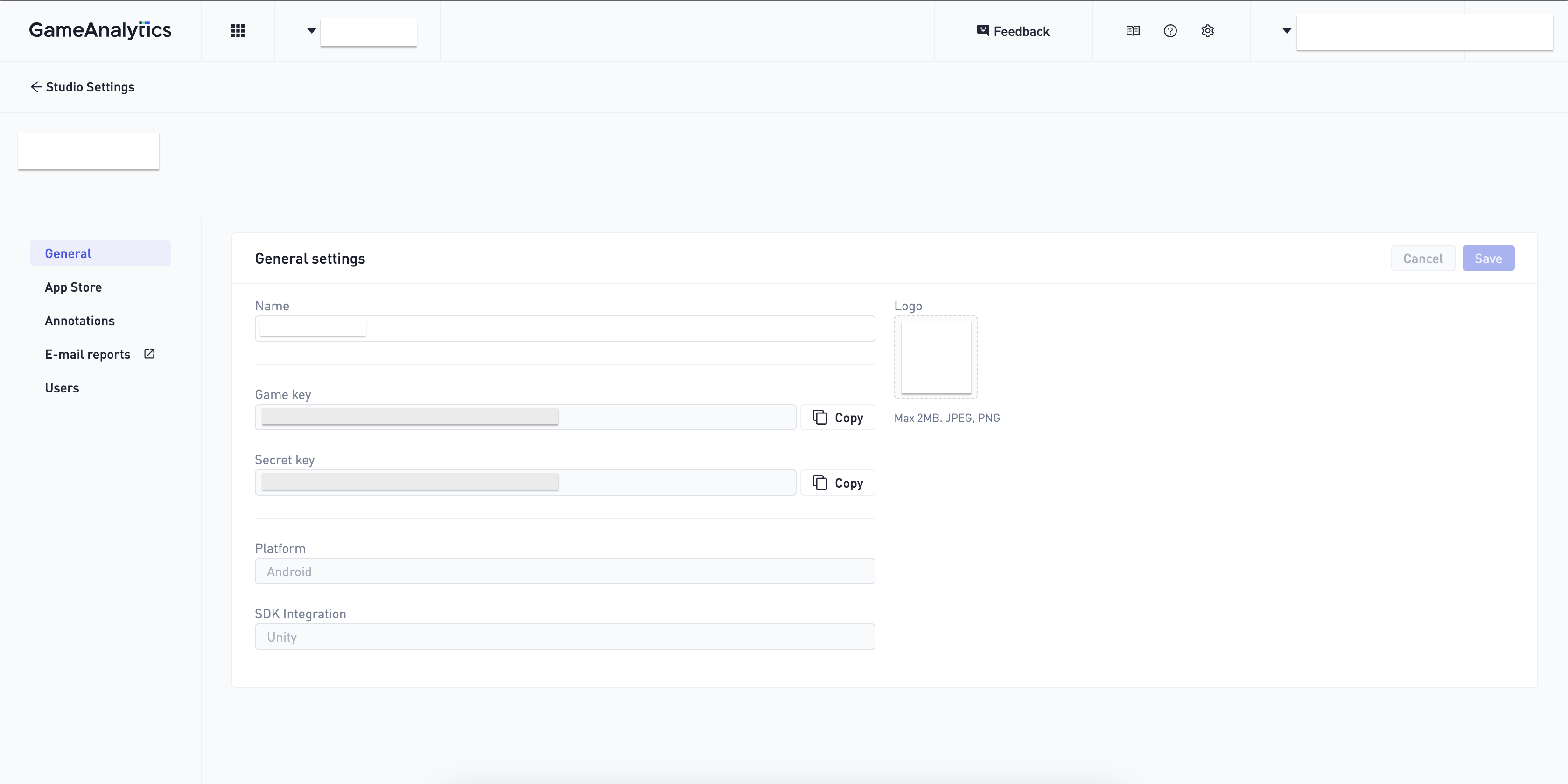
- Game Analytics setup successful You can find your GA keys under Settings → General.
- Homa Belly manifest generated Your manifest, or app token, is automatically generated once you have submitted your game to Homa Lab.
App Signing & Upload Certificates
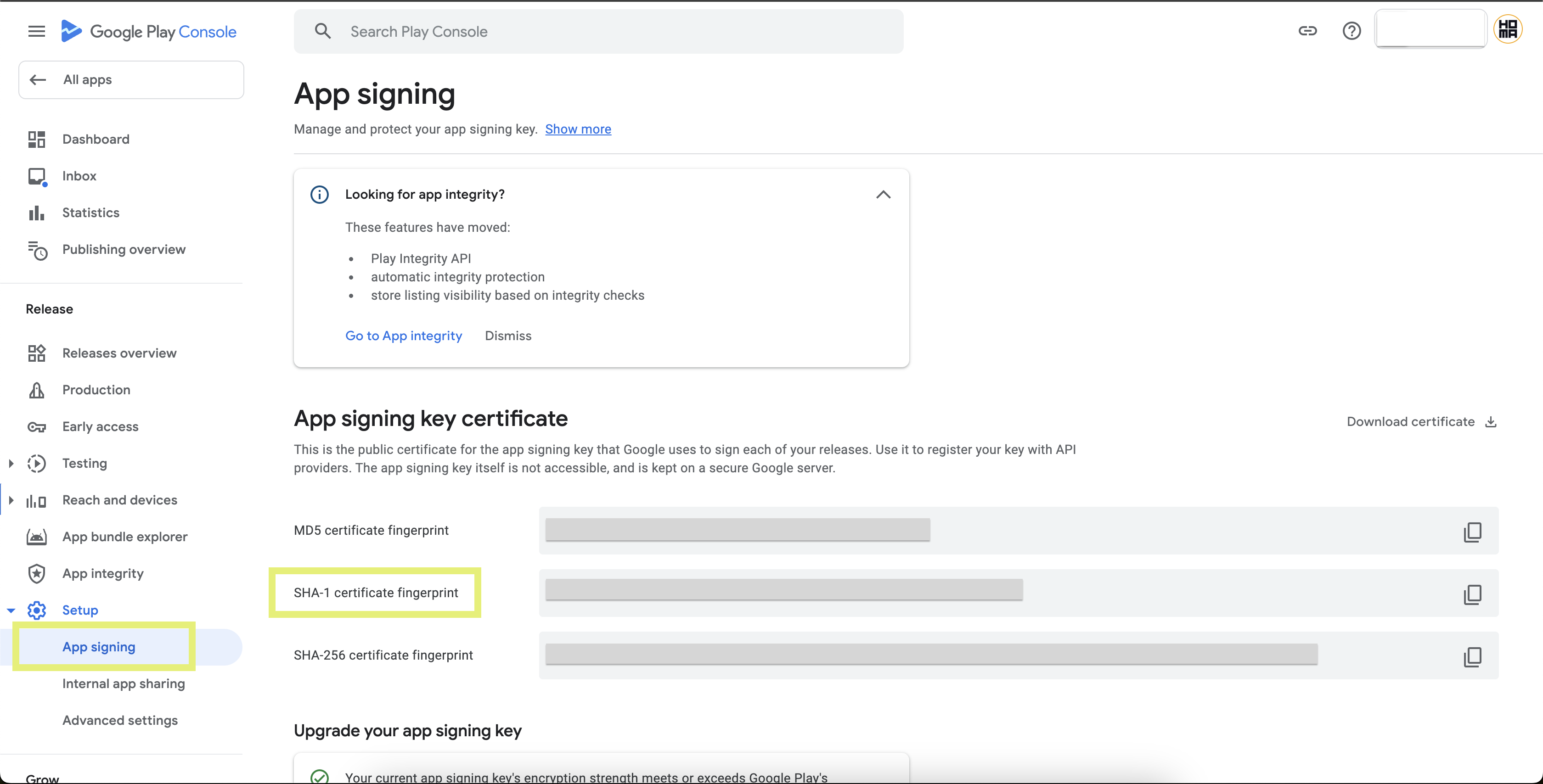
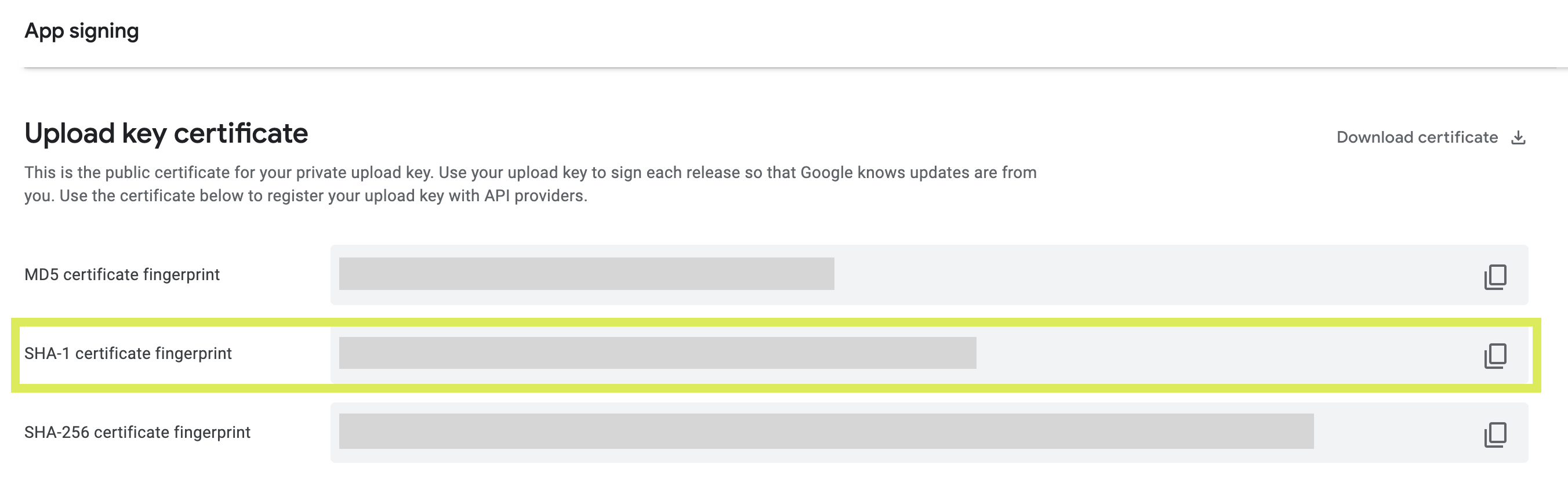
This process is required to reinforce the synchronisation between Adjust and your submission. It is a mandatory step for publishing. You can find this information on Google Play Console under Setup → App signing. In order to find the Upload key certificate on the same page, you need to scroll down. SHA-1 key is needed for both certificates.
- App signing key certificate → SHA-1 certificate fingerprint
- Upload key certificate → SHA-1 certificate fingerprint
iOS checks
- Bundle ID, iPad store ID, iPhone store ID Find your application here. Bundle ID: General → App Information iPhone Store ID: General → App Information → Apple ID iPad Store ID: General → App Information → Apple ID
- App live in country App Store See how to submit your build to App Store here.
- iOS platform added to Facebook setup
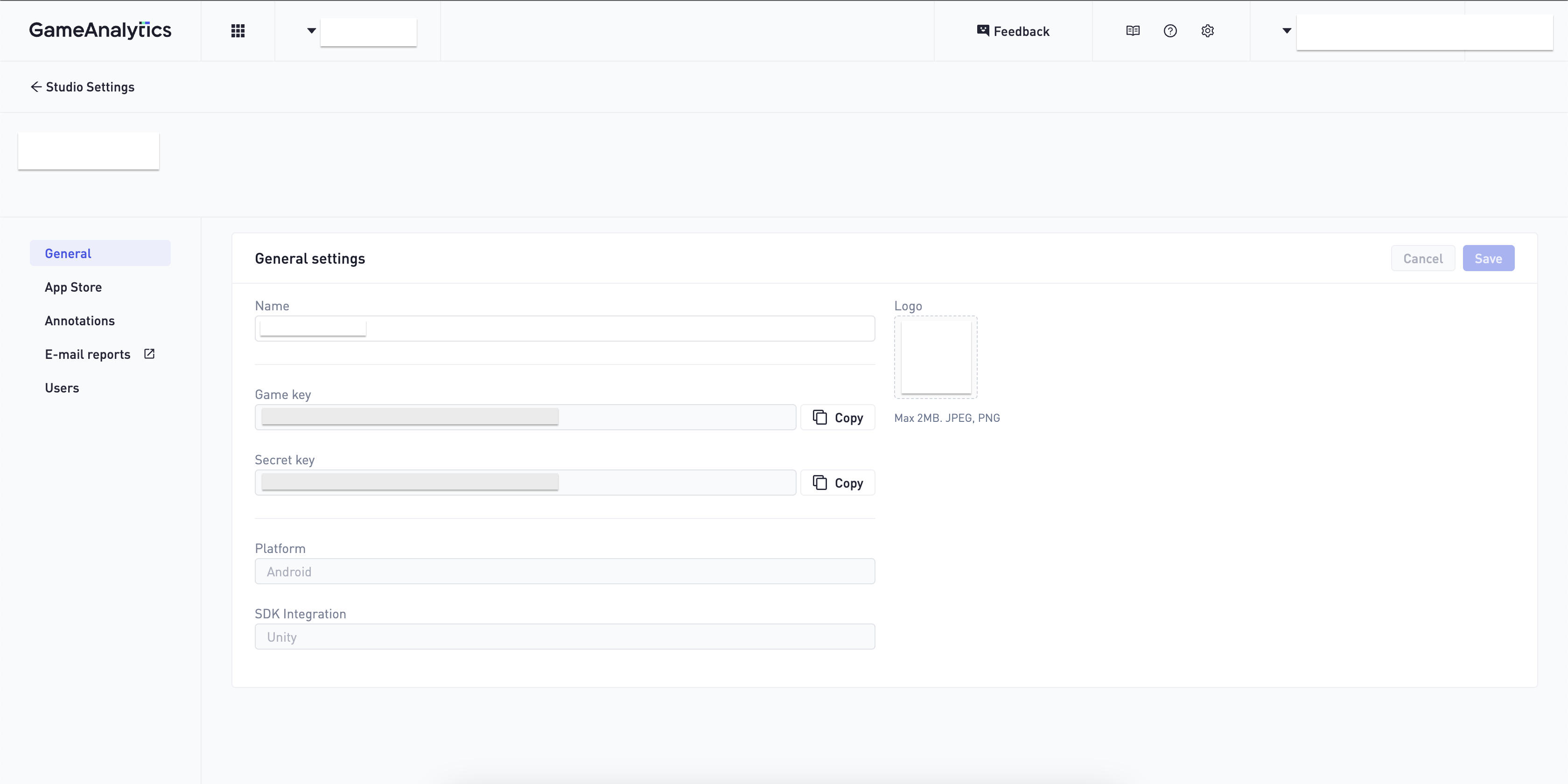
- Game Analytics setup successful You can find your GA keys under Settings → General.
- Homa Belly manifest generated Your manifest, or app token, is automatically generated once you have submitted your game to Homa Lab.