Afin de valider tous les auto-checks de votre soumission, vous devez ajouter la plateforme iOS à votre application sur Facebook.
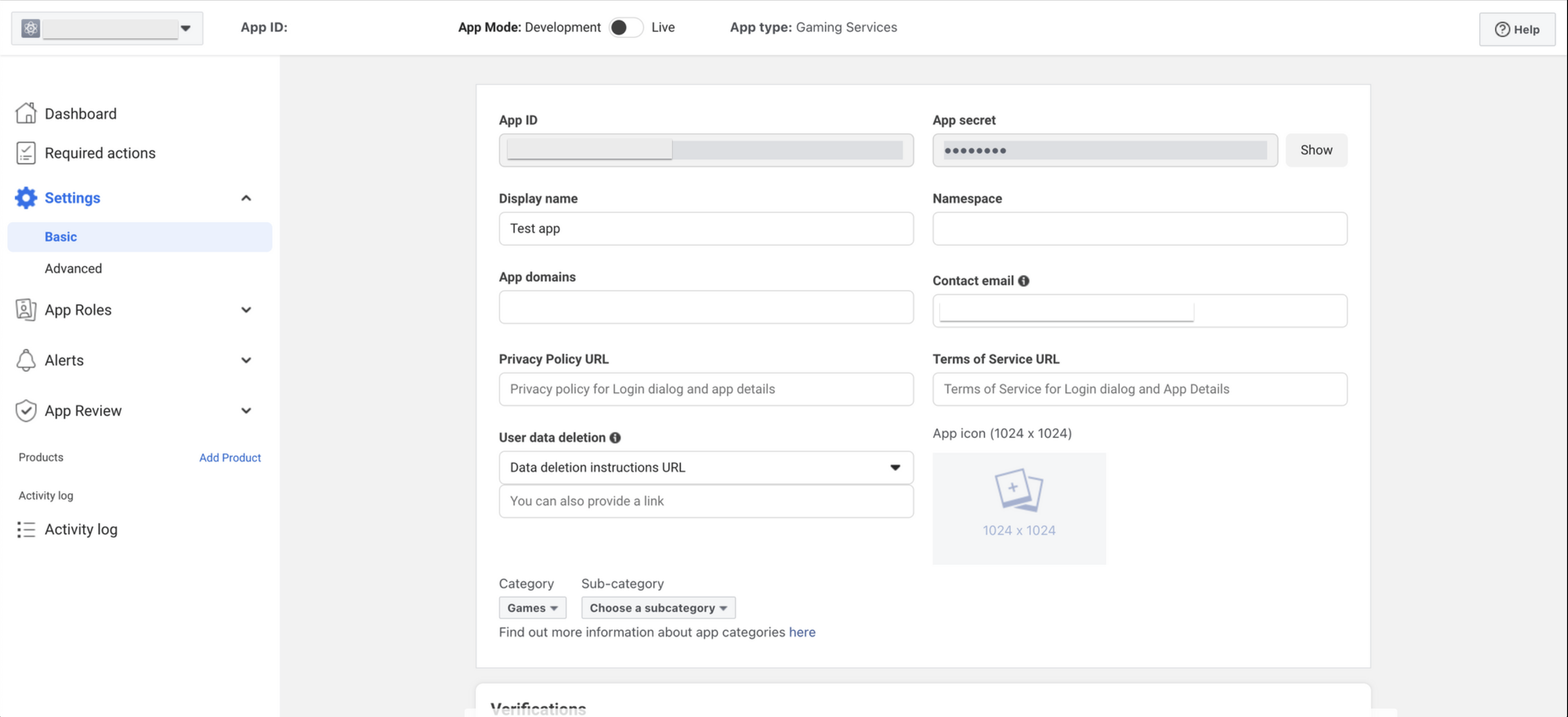
- Accédez à : Settings → Basic (c’est aussi ici que vous trouverez votre App ID et votre App Secret)
Faites défiler la page jusqu’en bas et cliquez sur « + Add Platform »
- Dans la fenêtre pop-up, choisissez iOS.
- Renseignez les champs suivants :
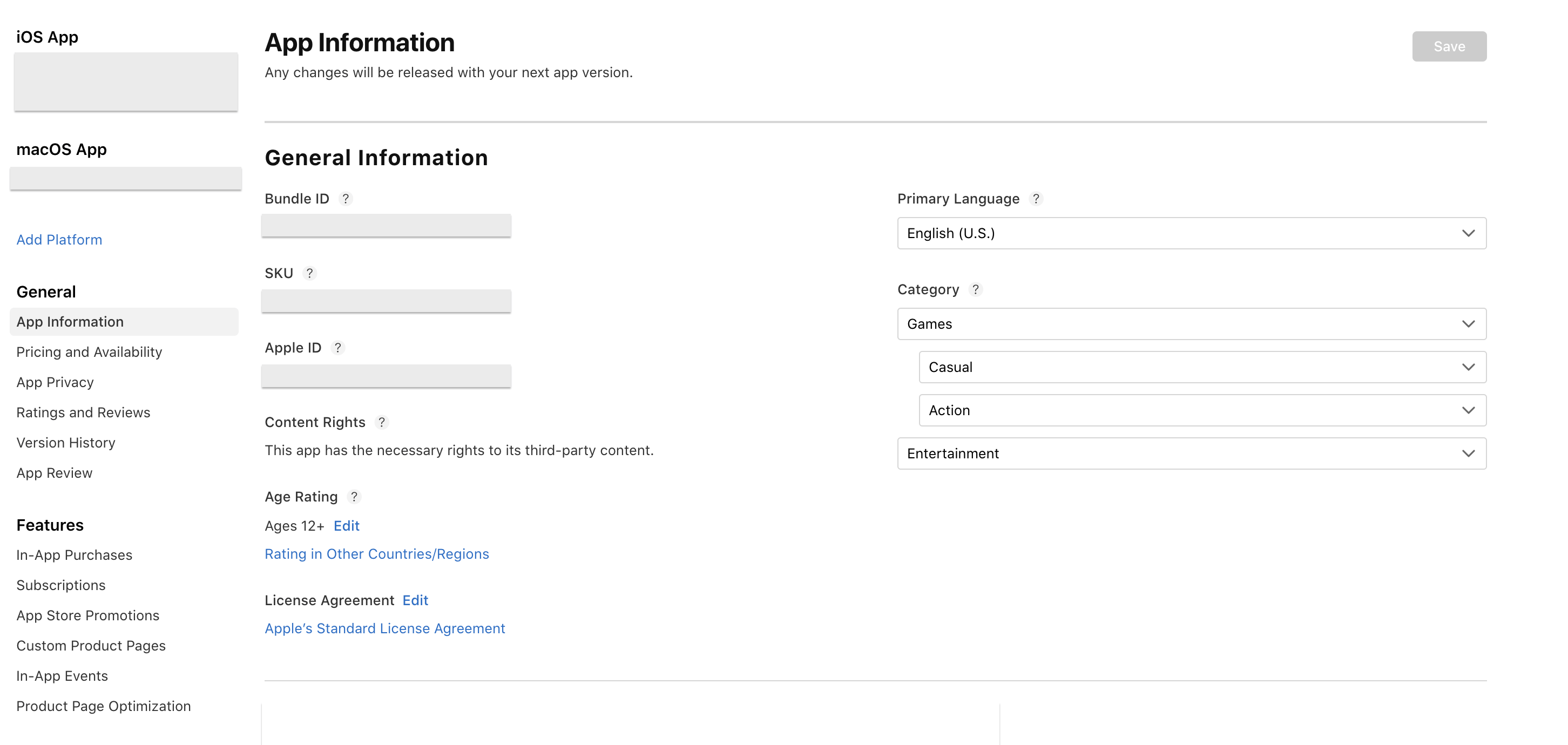
- Bundle ID : General → App Information
- iPhone Store ID : General → App Information → Apple ID
- iPad Store ID : General → App Information → Apple ID
Vous pouvez retrouver ces informations sur votre application via App Store Connect.
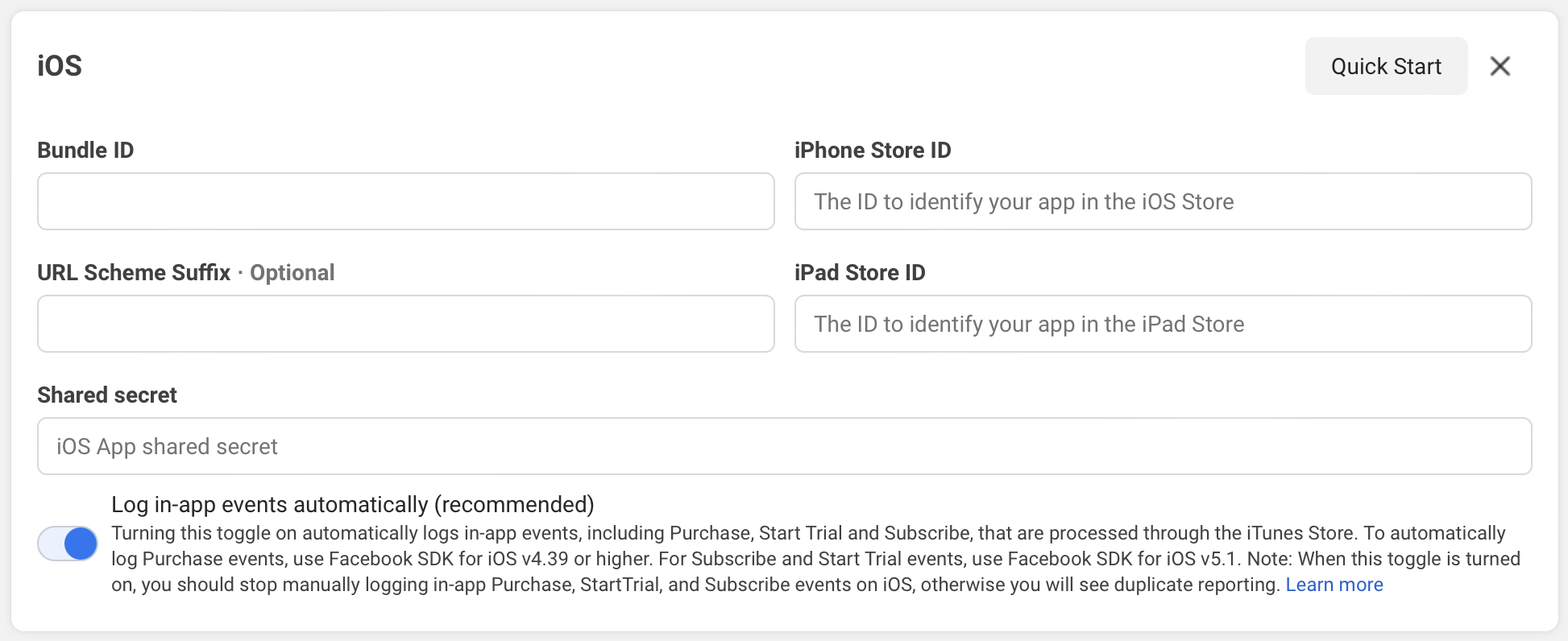
- Click on “Save changes” in the bottom. If it doesn’t work, then go for “Quick Start” on the top right hand corner See this KB article: Cannot add platform on Facebook dashboard